Sunday, April 19, 2009

NoScript and CCleaner - 2 Must Have Apps for Windows


NoScript and CCleaner are two must have applications if you are running a Windows pc.

NoScript can be downloaded here - http://noscript.net/ - this is an AddOn for Firefox, meaning that it can not be installed with IE, Safari, or Chrome, or whatever browser you use, only Firefox.

The NoScript actually blocks all Scripts from running automatically when you goto a Website. A Script is something that Computer Programmers make to load videos, load photos, load page content, and ads, or even can run tracking cookies on your pc, and they will report your surfing habits. They could also be used to have Scripts that Steal your Passwords, Banking Passwords, or Track your Credit Card #'s, so if you buy things online then you need NoScript, so you don't get hacked, and have your Credit Card's stolen.

Once installed and downloaded, Firefox needs to re-start, then the app is running. You can see if it is running by looking at the bottom right hand corner of the Firefox window will be an S with a white circle around it, click on that, and that is how you control what Scripts run on sites. You can either Trust this site, or Trust this Script, but NEVER Trust All Scripts! Block scripts that have "Ad" in it, so that they don't give you tracking cookies...

Whenever you goto a new web-site NoScript will pop-up at the Bottom of the Screen and ask if you want to display all Scripts, or just a few from the Page, and you can click on the videos that have an F in the middle and say OK and they will play normally, but this is a GREAT PROTECTION from VIRUSES!!

Also CCleaner, which can be downloaded here - http://www.ccleaner.com/ - this is a GREAT Application and MUST GET for WINDOWS USERS, because it will CLEAN your machine. When you download Scripts and Cookies, they stay on your machine whether you are Online or not, and they will report and track the sites you goto, also many Viruses are spread from cookies from un-trustworthy web-sites, so to get rid of them, get CCleaner and do a Full Clean, and remove everything it finds.

CCleaner will clean your:

  • IE - cookies, history, etc.
  • Firefox - cookies, history, etc.
  • All browsers
  • Fix Regirstery Issues Also.

I would recommend running this program whenever Windows un-expetecdly shuts off on you, which as we all know happens from time to time. This is usually due the fact of browsing a web-site that has bad scripts running and they infect your computer. Run CCleaner and this will remove all of the infections.

Hope you find this helpful!

Any Questions?

Wednesday, March 4, 2009

Cell Phone Wrist Watch!


This is the coolest invention I have seen in a long time!!

Dick Tracey Wrist Watch Cell Phone? Haha

http://abcnews.go.com/Technology/story?id=6603829&page=1

Sunday, February 22, 2009

How I Fixed My Internet Connection


Hey,

So I have been having a terrible time with my Windows XP computer, and I could not figure out why my internet was still crapping out on me.

I had:
- run AVG and scan removed all viruses
- run Spy-Bot Search and Destroy remove all spyware
- run Anti-Malware to remove all malware
- formatted my hard drive
- reinstalled Windows from scratch

and still a crappy internet connection plagued me, what to do?

I finally shelled out some cash and bought a Netgear RangeMax Wireless PCI Network Card.

After some trials and tribulations, I installed the software, then put the PCI card into my system, and got an interenet connection, yay! but it was still bad, DOH!

So after all that, what could be my problem, I started playing with the software that came with the Network Card, and it tells you every second what is your current connection speed to the internet, and I noticed something ODD.

When my computer was in it's usual position, it would get about 10 to 20 mbs and that is a really slow connection, a good connection is 48 to 56 mbs.

But when I moved my PC away from my wall and straightened out the antenna, just moving the antenna on the back of my pc around, trying to see where the connection jumps, to 56 mbs, I was able to FINALLY ESTABLISH A STRONG INTERNET CONNECTION!!

YAHOOOO!!!!!!!!!

Only took me a few months to get it right, just goes to show you, it's not ALWAYS a virus...

~ Tek-Min-Now

if you have any questions, feel free to comment, or contact me

Wednesday, January 21, 2009

Prototype B - Low Cost Touch Screen Tablet


Was reading Yahoo! Tech news today and I came across this article about a$200 touch screen tablet pc, and I was like whoah!

So I read the article and decided to do some searching on my own and boy was I surprised to find a very cool Tablet being developed by the good people at TechCrunch.


Source:
Touch Screen Tablet Linux PC

Sunday, January 18, 2009

Malwarebytes' Anti-Malware from Malwarebytes.org


This program saved my machine and if you are having connection or any other slow downs with your computer this could be the application that will save your machine!!

I downloaded, updated, and did a quick scan with this product and it located a Trojan that NO OTHER anti-virus program found, Spy-Bot did NOT find it, AVG did NOT find it.

There was apparently a Trojan in my registry file, that was extremely slowing down my computer, and now well, now it is working perfectly!

THANK YOU MALWAREBYTES.ORG!!

http://www.malwarebytes.org/mbam.php

Monday, January 5, 2009

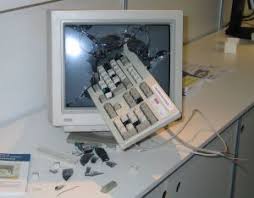
Top 10 Ways to Destroy a Computer or Cell Phone


  1. Dropping it from a building
  2. Throwing it through a window


  3. Smashing it with your fists


  4. Throwing it across the room
  5. Running it over with a car
  6. Putting it in a vice and keep turning till it pops
  7. Beat it with a sledge hammer


  8. Jump on it repeatedly
  9. Punt it through a field goal
  10. Rip it out of work, kicking and screaming, to a green field, and beating it with a bat, then stepping on it with your heals, then beating it with your fists, office space style

Sunday, December 7, 2008

EEStor future battery for the Electric Cars?


Hey All,

Thanks for dropping by. I just got this article from my dad about how EEStor is setting up its soon to be released battery for electric cars, and how it is going to revolutionize the car industry, as well as all electronic devices. They speak a little about how a vacuum could be a re-chargable device as opposed to a plug and use device.

I would recommend this to any one that is interested in learning more about how the progress of the Electric Car battery is truly coming together, and how one day we will all have cars that travel over 100 mpg and we will no longer be reliant on gas stations, and oil.

Article #1 - Beyond Permittivity - 200+ comments
Article #2 - EEstor Prototypes /permittivity

Enjoy!

Thursday, November 27, 2008

Windows XP Service Pack 3 - Firewall Updates


Hey All,

Just wanted to give a general Windows Security Update, as to my current preferences of Security, as well as what melo-drama I have been going through the past month with my internet connection, and lack there of it.

Before installing Service Pack 3 I had Zone Alarm Firewall on my computer, and then decided to upgrade to a different firewall called Sygate Personal Firewall recommended by a co-worker. I tried it out and was impressed, really gave a better set of controls for my personal firewall.

Then I installed Windows Service Pack 3 which as a slew of Security Updates, including update the Firewall, and overall making it more difficult for hackers to take over your computer, and have infectious viruses spreading across your home or work networks. Which is definitely a good thing, but some people are not all for it. Read this review - called Try It If You Dare

Either way my internet almost stopped working when i had the Sygate Personal Firewall on and after downloading and installing Service Pack 3, so my logical thinking is that perhaps these two security programs are tripping each other up, and preventing me from enjoying my internet.

So I decided to not have Sygate start-up automatically when my computer starts, and low and behold my internet is moving 3 times as fast as it was before! Thank God! Haha.

Lesson learned, there is such a thing as too much security!

So now I am currently running my machine using Windows Firewall, and AVG with weekly scans and updates on. That has been the optimal settings for me, what are your security settings?

Best,
Tek-Min-Now Team

PS - HAPPY THANKSGIVING!!!

Saturday, November 8, 2008

Photoshop Freebies - Site of the Week


Hey All,

I have decided to feature a new site I just found called Photoshop Freebies. I have learned an extensive amount of knowledge about Photoshop and how to use this program, and others like it to help create a truly original, 100% unique images.

http://photoshop-freebies.com/photoshop-actions/5-great-photoshop-actions.php

Check it out!

~Tek-Min-Now Team

Saturday, October 18, 2008

How to install ZSNES on the Asus EEE PC 2G Surf


I have successfully done it folks, I have installed ZSNES on my eee pc! Kick ASS!!

Now I can play over 100 games on my EEE that I have ROMS of that are simply different Super Nintendo Games, like Super Punch-out, Super Mario Bros, Tetris, Final Fantasy 3, and many more!

I first tried to install Wine on the EEE and that had several attempts, 1 out of 3 attempts was an actual successful installation, the others did not work. Although Wine would not run the emulators for the SNES Games, so I had to find another option, and so I did on the WIKI EEE SITE! Great site!

Lots of great information here and mainly where I learn how to use the EEE and how to completely customize and harness the true power of the EEE.

Here it is folks - just follow these instructions EXACTLY!! About 10 steps, but very simple and quick to perform. If you have any problems can always fix them by re-starting and holding F9 and starting with the Factory Default Settings. (format)

Here it is - http://wiki.eeeuser.com/howto:install_emulators - enjoy!

If any one has questions do not hesitate to ask!

Tuesday, October 14, 2008

AVG Free


Hey All,

If you are having an issue with your AVG Free software I would recommend downloading the newest version and re-installing it.

Should work then!

Download Free Here - http://free.avg.com/download?prd=afe

Best,
Tek-Min-Now

Sunday, September 21, 2008

How to make an Accordion Vertical and Horizontal Menu with Java Script:


First of all I have to give credit where credit is due, I got the java script and everything from this great site at - http://www.stickmanlabs.com/

They have been able to build a very nice simple way to get accordion menus to work, so I will give you guys the jist of it. I read through the site, and followed the instructions to a tea, but it did not work on my first try. So I went back, what am I doing wrong? I tried to do it again, followed instructions word for word, but still no luck! The instructions leave 2 VERY important keys out of the instructions.

I started to grow very frustrated and did not understand WHY THE HELL IS THIS NOT WORKING!!???!!?!?!?!

But then I decided to really look into his example code and try and figure out exactly what I am missing. There are 5 key sections of the code that you NEED in order for it to work.

You will need to Download the Accordion 2.0 Setup File before we get started.

1. You need to have all 3 javascript calls to the correct files, and you NEED to have the files on your server to access them. Also you need those code that executes and makes available the code that is performing the Accordion animation.

2. Next you will need the Accodion CSS that gives the look and feel to the Accordion tags. Look in the CSS section of www.stickmanlabs.com.

3. You will need the code that you will click on to start the effect, and the container for the content that is being shown or hidden with the Accordion feature. Read stickmanlabs.com tutorial, pretty simple.

Can create as many content section as you would like, you can even make Horizontal ones, but I have not tried this as of yet...

4. You need the Accordion Section div id code that is all the way at the bottom of the page in the sample on StickMan's site. Place this code before the tag in the HTML of the body. - more code to add all the way at the bottom of the page. Hide it by removing all text in it...need it to work though.It is the Horizontal and Vertical code for working.

5. This well I am not quite sure what this does, but I put it in there any way, before the tag as well! But I put it in there and so should you!


Then you can get a site that looks something like this:
Tha Spot aka the place to be - the Google Ads can be shown or hidden with this feature

What do you guys think?

Best,
Tek-Min-Now Team

Friday, September 5, 2008

Google Chrome Web-Browser - Secret Commands


Google's New Web-Browser Chrome has a very cool list of secret commands that share the users data with them selves, displaying how the browser, page, or other data currently is..

Here they are:

  • about:memory
  • about:stats
  • about:network
  • about:internets
  • about:histograms
  • about:dns
  • about:cache
  • about:plugins
  • about:version

you can also go to two special pages on a 

per-site basis.view-cache:[URL] shows you some under-the-hood cache details, and 

view-cache:[URL] shows you the page's markup.


Just found this out from lifehacker he does a great job covering this topic, with screen shots, if you are intested just type any of these commands in the URL Box of the Chrome Web-Browser and you will see some special about pages.


tek-min-now team

Thursday, September 4, 2008

Top 10 Gripes with Google's Chrome Browser


1. No "Super Scroll" (I am coining the term) middle button for quick scrolling on a long page.

Firefox Example:


2. Asks Stupid Questions "Are you sure you want to leave this page?"

Example:
I just deleted a web-part on my blog, this is over kill, no need to ask if I am sure I want to leave the page, and Firefox doesn't ask...


3. Does not search text in text field boxes - for blogger web editing search

I was trying to find a segment of code on my blogger page and I was using the built in search functionality in Chrome, but apparently it DOES NOT search in the text field box where all of the code for the page is, so I had to copy and paste the code into Notebook and do my editing there...I(Firefox does search in the text field boxes)

4. Bookmarks Tab? Could it be any uglier!

Example:
I really love the "Other bookmarks" section, NOT! All the way on the far right? Why would they put this on the right side and not the left side? (since they pop up to the left, and since everyone in America reads left to right, not right to left..) No customization of where these lay, I wish they would add a customization that would allow to have a Bookmarks button that would be next to the back and fowrad and reload buttons, so that it wouldn't make the navigation bar at the top bigger...

5. RSS Tab? Where are all my RSS blogs?

I seem to have lost all of my RSS feeds that I was watching on Firefox. It did successfully import all of my bookmarks and saved passwords, but where are my RSS feeds?

6. Annoying Status Bar

Example:

The status bar in Google Chrome pops-up in the lower left hand corner whenever something is loading is very annoying and can be distracting to the eye. I automatically look to see what is popping up on my screen and realize it is just telling me something is loading, I think they should make it a bar across like in Firefox...this seems odd to me to just display it...

7. Stole Firefox Position on my Windows Start Menu Applications

I downloaded and installed Chrome, and loaded it up and started playing around with it. I realized alot of it seems to work the same as Firefox, if not a little bit worse. So I wanted to go back to Firefox, I goto my Windows Start Menu and it is GONE! Instead of Firefox the Google Chrome application is in it's place! I'm like whoah! This thing is trying to take over! So I added Firefox back in..(right click, pin to start menu)

8. The Web-Site Title is Cut Off

Example:
As you can see the Title is cut off because the browser window tabs are at the top of the page, where the Title of the page is displayed. So the only way to see the full title is to hover the mouse over the tab and the entire title will display as you can see in the image above.

9. No Customization of Navigation Bar Icons

One of my favorite parts of Firefox is you can drag and drop all of there icons on the start menu, with Google's Chrome, they do not offer this functionality. The only option the user has is to display the Homepage Icon or not to display the Homepage icon...annoying.

10. Does not Prevent Cross Site Scripting

Google claims this browser will prevent against Cross Site Scripting, which allows hackers to gain access to your account through opening hidden windows on a users computer, and editing the users profile on there computer, in the background with out the user's knowledge. Although when I am logged in on Gmail with one account, and login to Blogger (owned by Gmail) it automatically signs me into Blogger with the Gmail account...not good!

Summary:

Those are my Top 10 Gripes, Complaints, or just plain Issues with Google's new Web-Browser Chrome. Overall it is a great little browser, it is fast, and light. It works well with google's applications probably a second faster at loading Gmail and other Google Apps. Although these issues as well as some freezing occurs, when loading Flash Animations and goto a new page...

I have had some issues with Flash Animations freezing as well as some fun apps I use slowing down the browser to a crawl, only time it crashed it when I had 3 Chrome windows open, one loading flash, one playing music, and one on Meebo, then the one loading the Flash crashed...I guess they may still have some issues with Flash Animations...

What do you guys think?


other similar articles:

best,
tek-min-now

Monday, September 1, 2008

Google's New Web Browser, Chrome!


This could be the answer to my prayers of a truly efficient, secure, quick, easy, and smart web-browser that will set new guidelines and help unite the standards of the web once and for all, so all browsers can work the same.

Read this comic book from the Inventors of Chrome

Google is stated to have made this browser quicker, easier to use, better javascript handling, and more secure! Sounds like a home run to me, up-front congratulations to Google.

Plus they have a pretty cool logo for it:

Read more specs on Wikipedia


This is releasing on Tuesday September 2nd 2008, can not wait to test it out!

Fresh take on the browser from Google's Official Blog

UPDATE:
It is now available to download the beta version.

To Fun and Safe Surfing,

~ Tek-Min-Now Team